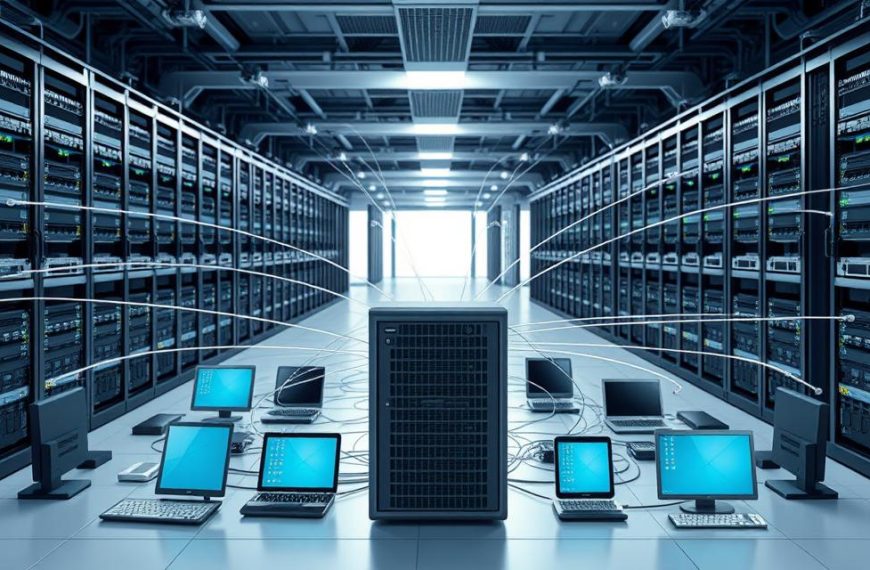


In today’s world, computer networks are key for businesses and our daily lives. They let us share resources, work together well, and keep data safe in one place.
The benefits of networking are big. They help us work faster and keep our data safe. Companies use these networks to solve problems quickly and stay connected.
But setting up these systems can be hard. It costs a lot at first, and there are risks to data security. Managing a network needs special skills to avoid losing data and keep risks low.
This article looks at all sides of networking advantages disadvantages. It gives a fair view of why these systems are important. Knowing both good and bad points helps businesses choose wisely for their needs.
Understanding Computer Network Fundamentals
Before we dive into the good and bad of computer networks, let’s get the basics right. Knowing the core principles and parts of a network is key. It helps us understand both the benefits and challenges of networks in today’s world.
Basic Network Components and Architecture
Every computer network has key parts that work together. They enable communication and sharing of resources. These parts are the heart of any network system.
The main network components are:
- Servers: Central computers that offer resources, services, or data to other devices
- Routers: Devices that send data packets between different networks
- Switches: Equipment that connects devices in the same network
- Clients: End-user devices that access network resources
- Nodes: Any device connected to the network, like computers, printers, and smartphones
These components work together in a specific network architecture. This architecture defines how devices talk to each other and share information. It affects data flow, security, and management.
Knowing these basic elements is vital for understanding network performance and security. For more details, check out resources on computer networking basics.
Types of Computer Networks
Computer networks are classified based on their size and purpose. Each type has its own role and limitations.
The main network types are:
- LAN (Local Area Network): Connects devices in a small area like a home, office, or building. LANs offer fast connections and local resource sharing.
- WAN (Wide Area Network): Covers large areas, connecting multiple LANs across cities or countries. The internet is the biggest WAN.
- MAN (Metropolitan Area Network): Spans a city or large campus, bigger than a LAN but smaller than a WAN.
- PAN (Personal Area Network): Connects devices in an individual’s workspace, using Bluetooth or infrared.
Each network type has its own features, like coverage, speed, cost, and management needs. Knowing these differences helps organisations choose the right network for their needs.
Choosing between LAN, WAN, MAN, or PAN affects both the benefits and challenges of networks. These basics are key to evaluating network performance, security, and growth options.
Key Advantages of Computer Networks
Computer networks are key to today’s business world. They make businesses more efficient and help teams work better together. By using networks, companies can save money and improve how they communicate.
Resource Sharing and Cost Reduction
One big plus of networks is sharing resources. Many people can use the same printers and scanners. This means no need for each person to have their own.
Networks also help with software costs. Instead of buying separate licenses for each computer, companies can use one license for many. This saves a lot of money.
Having all data stored in one place saves space and money. Companies can buy strong servers instead of many small storage devices. This is better for both the wallet and the office space.
Enhanced Communication Capabilities
Networks make communication better. They offer instant messaging and email for formal talks. This helps teams talk to each other, no matter where they are.
Video calls let teams meet face-to-face without leaving their desks. This is great for working together when people are far apart. It’s very useful in today’s work world.
Sharing documents online means everyone can work on the same file at the same time. This makes projects finish faster and work better.
Centralised Data Management Systems
Having all data in one place makes it easier to manage. This makes backups and keeping data safe simpler. It’s all in one spot, easy to get to.
It’s easier to control who can see what with centralised systems. Managers can set up who can do what. This keeps important info safe but lets the right people see it.
Updating software is easier with a central system. IT can update everything at once. This means less time when things are down and everyone has the same software.
| Network Advantage | Primary Benefit | Impact Level | Implementation Complexity |
|---|---|---|---|
| Resource Sharing | Cost Reduction | High | Medium |
| Enhanced Communication | Collaboration Improvement | High | Low |
| Centralised Data Management | Security Enhancement | Medium | High |
| Improved Reliability | Business Continuity | Critical | Medium |
Improved Reliability and Data Backup
Modern networks are very reliable. They have backup systems that kick in if something goes wrong. This keeps things running smoothly.
Backups keep data safe from threats. Regular backups to safe places mean data is always protected. Plans for disasters can quickly get things back to normal.
Storing data in many places keeps it safe. This way, even if something goes wrong in one place, data is safe elsewhere. This means important data is always available.
Tools watch for problems before they cause trouble. Fixing things during planned downtime keeps everything running smoothly. This keeps systems up and running well.
What are the Advantages and Disadvantages of Computer Network
Computer networks bring many benefits, but they also have downsides. It’s important for businesses to understand these challenges. This way, they can make smart choices and plan how to deal with any issues.
Technical Complexity and Maintenance Demands
Setting up and keeping a computer network right needs special skills. Companies often need to hire experts or train their staff well.
Keeping the network running smoothly involves regular updates and checks. These tasks are essential for the network to work well and keep up with new technology.
Security Vulnerabilities and Risk Exposure
Networks have many ways for hackers to get in. If one part of the network is weak, the whole thing can be at risk.
Some common network security risks are:
- Malware and viruses that can spread fast
- Unauthorised access to important data
- Data being intercepted while it’s sent
- Denial-of-service attacks that stop operations
To fight these threats, companies need strong security measures, firewalls, and encryption.
Network Dependency Issues
Many businesses rely too much on their networks. This makes them vulnerable when the network goes down.
A single server can be a big problem if it fails. Network failures can cause a lot of lost work and disrupt important services.
To avoid these problems, companies can use backup systems. But, this makes things more complicated and expensive.
Initial Investment and Ongoing Costs
Starting a computer network costs a lot of money. The high setup costs include buying hardware, cables, and software.
After the initial cost, there are ongoing operational expenses:
| Cost Category | Typical Expenses | Frequency |
|---|---|---|
| Hardware Maintenance | Server upgrades, component replacements | Annual |
| Software Licenses | Security software, management tools | Monthly/Annual |
| Technical Support | IT staff salaries, external consultants | Ongoing |
| Energy Consumption | Power usage for servers and network devices | Monthly |
| Security Updates | Patch management, vulnerability fixes | Regular |
Thinking about these costs is key to keeping the network running smoothly over time.
Security Considerations in Network Environments
Network security is key in today’s IT world. It needs strong strategies to keep company data safe. These strategies must fight off outside threats and fix internal weak spots. They also need to let the right people use the system.

Common Network Security Threats
Today’s networks face many threats that can harm data and system use. Hackers keep finding new ways to get into networks.
Viruses and worms are big problems. They can spread fast and harm files, steal data, and slow systems down.
Phishing attacks are also a big worry. They trick people into giving out secret info. These attacks often get past tech defences by targeting people.
Ransomware is very bad. It locks up important data until money is paid. DoS attacks flood systems with traffic, making them hard to use.
Essential Security Measures and Protocols
Strong security needs many layers to fight threats. Companies must use tech, make good policies, and teach users.
Firewall security is the first defence. It checks and controls network traffic. Modern firewalls can look deep into packets and know about different apps.
Malware protection needs antivirus and special systems to find threats. Keeping software up to date is key.
Data encryption keeps info safe when it’s sent or stored. It makes data useless to hackers. Encryption must meet high standards.
Good ways to check who’s in include strong passwords and extra checks. Regular checks and tests find and fix weak spots before they’re used.
| Security Measure | Primary Function | Implementation Level | Effectiveness Rating |
|---|---|---|---|
| Network Firewalls | Traffic filtering and monitoring | Network perimeter | High |
| Antivirus Software | Malware detection and removal | Endpoint devices | High |
| Intrusion Detection Systems | Real-time threat identification | Network-wide | Medium-High |
| Data Encryption | Information protection | Data transmission/storage | Very High |
| Multi-factor Authentication | Access control verification | User access points | Extremely High |
Good cybersecurity protocols include training staff and having clear plans for when things go wrong. This helps fix problems fast.
Splitting the network into parts can limit damage. Backing up data helps recover if there’s an attack or system crash.
Implementation and Maintenance Challenges
Setting up a computer network is full of practical hurdles for companies. They need to invest time and money, and keep working hard to keep it running smoothly. This requires special skills and constant effort.
Technical Implementation Requirements
Creating a strong network starts with a detailed network implementation plan. This plan covers hardware, software, and infrastructure needs. The setup involves careful cable management, server setup, and installing network devices.
Network architects must think about compatibility, bandwidth, and growth. Adding cloud services to existing systems makes things even more complex.
Managing network complexity is tough, more so in big operations or with remote workers. Each new part of the network can cause problems and security risks.
Staff Training and Skill Development Needs
The success of a network depends a lot on its people. Good network administrator training covers fixing problems, security, and improving performance.
Keeping IT skills up to date is key. Many companies don’t realise how much time it takes to teach new things. It’s not just about the tech; it’s about staying ahead of threats.
It’s also important to teach all employees about security and how to use the network right. This helps prevent mistakes and misuse.
| Implementation Approach | Technical Complexity | Training Requirements | Maintenance Demands |
|---|---|---|---|
| Phased Rollout | Medium | Staggered training sessions | Gradual increase |
| Big Bang Deployment | High | Intensive pre-launch training | Immediate high demand |
| Hybrid Implementation | Variable | Mixed approach | Balanced workload |
| Outsourced Management | Low internal | Vendor-specific training | Contract-dependent |
Each way of setting up a network has its own pros and cons. The phased method is easier but takes longer. Big bang deployments are intense but quicker.
Companies should think about what they can do before choosing a method. Getting help from experts can save a lot of trouble.
Selecting Appropriate Network Configurations
Choosing the right network setup is all about looking at what you need now and what you might need later. Companies must find a balance between what they need to do today and what they want to achieve tomorrow. This ensures their network meets their specific needs.

Factors Influencing Network Choice
Many important factors help decide the best network for any business. These elements together paint a clear picture of what your network needs are.
Organisation size and user count affect how complex your network can be. Small offices might do well with simple LANs, while bigger companies need WANs that cover many places.
Where your business is located also matters a lot. Companies with offices in different places need different network solutions. The distance between these places affects how well your network works and how much it costs.
What applications you use also plays a big role. Apps that use a lot of data need more bandwidth, while apps that need to work quickly need fast connections. Knowing what apps you use helps avoid problems with your network.
How much money you have to spend on your network is also important. You need to make sure the costs fit within your budget. Sometimes, it’s better to add things bit by bit to save money.
How secure your network needs to be depends on your industry and how sensitive your data is. Banks need very secure networks, while creative agencies might focus more on making things easy to use. Laws also set minimum security standards.
Scalability and Future Expansion Considerations
Planning for how your network will grow is key. Smart companies design networks that can grow without causing too much trouble.
Thinking ahead about how many users you’ll have helps avoid problems. Your network should be able to handle more users and devices easily. This saves time and money later on.
Technology is always changing, so your network needs to be able to adapt. New devices and apps come out all the time. Your network should be able to handle these new things.
How people use your network changes over time. More streaming, cloud apps, and working from home means you’ll need more bandwidth. Making sure your network can handle more data is important.
Here are some ways to plan for growth:
- Use a modular design for easy upgrades
- Choose standard parts for easy compatibility
- Have extra systems to keep things running during growth
- Use tools to watch how your network is doing and find areas for improvement
Checking your network regularly helps you find ways to make it better. Getting a professional to check your network every 12-18 months helps keep it in line with your business goals. This keeps your network running smoothly and ready for the future.
Choosing the right network is about meeting today’s needs and planning for tomorrow. The right setup supports what you do now and lets you grow in the future.
Conclusion
Computer networks are a powerful tool for today’s organisations. They help share resources, improve communication, and manage data better. These benefits can save a lot of money and make operations more reliable.
But, there are also challenges. These include technical issues, security risks, and a big upfront cost. It’s important to manage these well to avoid problems.
This summary shows that the value of a network depends on what your organisation needs. You need to plan carefully and use strong security, like firewalls and encryption, to succeed.
So, is a computer network worth it? It depends on your goals. If done right, networks can help your business grow and innovate.
These final thoughts on networking stress the need for skilled people and flexible plans. A well-set-up network can give you an edge over competitors. It’s a good investment for many businesses.
This conclusion on networking confirms that, despite challenges, the benefits are worth it. Computer networks are essential for today’s IT setup.
FAQ
What are the main advantages of implementing a computer network in an organisation?
The main benefits include sharing resources like printers and software, which saves money. It also improves communication with tools like email and video calls. Plus, it makes data management better and more reliable.
What are the most common security threats faced by computer networks?
Threats include viruses, worms, phishing, ransomware, and DoS attacks. These can harm data, allow unauthorised access, and disrupt work. So, strong security measures are vital.
How does a Local Area Network (LAN) differ from a Wide Area Network (WAN)?
A LAN is for a small area, like an office. It’s for sharing resources within. A WAN connects bigger areas, like cities, and is for organisations with many locations.
What initial and ongoing costs are associated with computer networks?
Initial costs are for hardware, software, and setup. Ongoing costs are for maintenance, updates, security, and IT staff. These add up to the total cost of owning a network.
Why is staff training important in network management?
Trained staff are key for setting up, keeping, and protecting networks. Training helps them manage complex systems well. It also lets staff use networked resources safely, reducing risks and boosting efficiency.
What factors should influence the choice of a network configuration?
Consider the organisation’s size, user numbers, and location. Also, think about the applications used, budget, and security needs. Scalability is important for future growth without big changes.
How do centralised data management systems benefit organisations?
Centralised systems store data on one server. This makes access, backups, and updates easier. It boosts efficiency, ensures data is consistent, and improves security by managing data in one place.
What measures can protect a network from security breaches?
A> Key steps include using firewalls, antivirus, intrusion detection, strong passwords, multi-factor authentication, and encrypting data. These steps help keep the network safe.
What is meant by network dependency, and why is it a concern?
Network dependency means operations stop if a key server fails. This is a big risk for business continuity. So, having backups and redundancy is essential.
How can organisations ensure their network is scalable for future needs?
Plan for scalability by choosing flexible systems. Make sure the network can handle more users, devices, and data. Using modular solutions helps grow efficiently.


 By
By